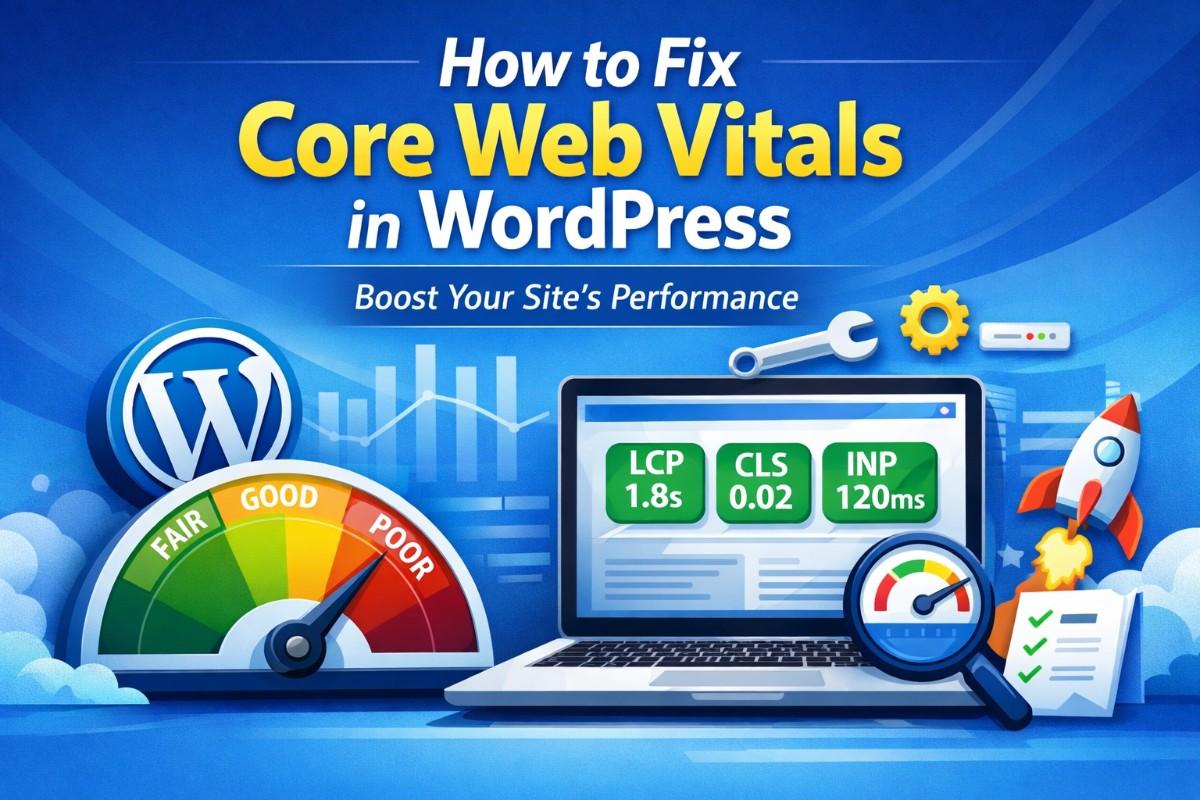
Core Web Vitals are no longer optional. They directly influence search rankings, user experience, and conversion rates. If your WordPress website loads slowly, shifts while loading, or feels unresponsive, you are losing traffic and revenue.
This guide explains:
- What Core Web Vitals are
- How to measure them
- Why WordPress sites struggle
- Step-by-step fixes
- Advanced optimization techniques
- Tools and configuration strategies
Everything is structured for clarity and implementation.
What Are Core Web Vitals?
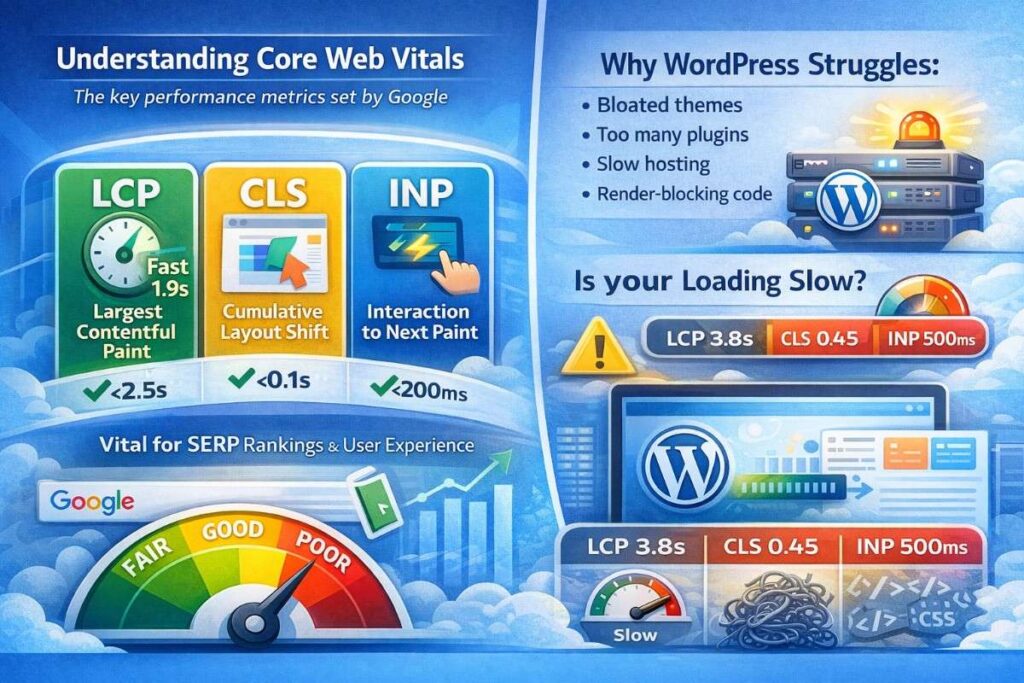
Core Web Vitals are performance metrics defined by Google to measure real-world user experience.
They focus on three primary factors:
| Metric | Measures | Target |
|---|---|---|
| LCP (Largest Contentful Paint) | Loading performance | Under 2.5 seconds |
| CLS (Cumulative Layout Shift) | Visual stability | Under 0.1 |
| INP (Interaction to Next Paint) | Responsiveness | Under 200 ms |
These metrics are part of Google’s Page Experience signals and impact rankings.
Why Core Web Vitals Matter for WordPress website
WordPress is powerful but:
- Themes can be bloated
- Plugins add extra scripts
- Page builders increase DOM size
- Shared hosting slows down response time
Without optimization, most WordPress sites fail Core Web Vitals.
Step 1: Test Your Website Properly
Before fixing anything, test your site.
Use:
- Google PageSpeed Insights
- Google Search Console (Core Web Vitals report)
- Lighthouse (Chrome DevTools)
- GTmetrix
Focus on real-user data (field data), not only lab data.
Document:
- LCP value
- CLS score
- INP
- TTFB (Time to First Byte)
Step 2: Fix Largest Contentful Paint (LCP)
LCP measures how fast the largest visible element loads. Usually:
- Hero image
- Banner section
- Featured image
Common WordPress LCP Problems
- Large images
- Slow hosting
- No caching
- Render-blocking CSS
- Too many plugins
Fix #1: Optimize Hosting
The foundation is server performance.
Choose:
- LiteSpeed servers
- Managed WordPress hosting
- SSD storage
- HTTP/2 or HTTP/3 support
Avoid cheap shared hosting.
TTFB should be under 600ms.
Fix #2: Enable Caching
Use one caching plugin only:
- WP Rocket
- LiteSpeed Cache
- FlyingPress
Enable:
- Page caching
- Browser caching
- Object caching
- Preload cache
Do not use multiple caching plugins together.
Fix #3: Optimize Images
Images are the biggest LCP issue.
Steps:
- Convert images to WebP
- Resize properly (no oversized images)
- Use lazy loading for below-the-fold images
- Preload hero image
Use:
- ShortPixel
- Imagify
- LiteSpeed image optimization
Important: Do not lazy-load the hero image.
Fix #4: Eliminate Render-Blocking Resources
CSS and JS files delay loading.
In caching plugin:
- Enable “Load CSS asynchronously”
- Defer JavaScript
- Delay JavaScript execution
Be careful and test after enabling.
Fix #5: Reduce Unused CSS and JS
Page builders load unused scripts.
Use:
- Perfmatters
- Asset CleanUp
- WP Rocket file optimization
Disable scripts per page if not required.
Step 3: Fix Cumulative Layout Shift (CLS)
CLS measures visual stability. If elements move while loading, CLS increases.
Common causes:
- Images without width/height
- Ads
- Dynamic banners
- Fonts loading late
Fix #1: Define Image Dimensions
Ensure all images include:
width="X"
height="Y"
Most modern themes do this automatically.
Fix #2: Reserve Space for Ads and Banners
If using:
- Google Ads
- Popups
- Affiliate banners
Set fixed height containers.
Fix #3: Optimize Fonts
Fonts cause layout shift.
Enable:
- Font display: swap
- Preload important fonts
- Limit font weights
Avoid loading 6–8 font variations.
Fix #4: Avoid Late-Loading Above-the-Fold Elements
Do not lazy-load:
- Logo
- Hero image
- Navigation elements
Step 4: Fix INP (Interaction to Next Paint)
INP replaced FID and measures responsiveness.
High INP usually means:
- Too much JavaScript
- Heavy sliders
- Animations
- Poor hosting
Fix #1: Reduce JavaScript Execution
Use:
- Delay JS execution
- Remove unused plugins
- Avoid heavy animation libraries
Fix #2: Remove Sliders
Sliders are performance killers.
Replace sliders with:
- Static hero image
- Lightweight CSS animation
Fix #3: Limit Page Builder Effects
Disable:
- Scroll animations
- Entrance animations
- Complex transitions
Keep interface minimal.
Advanced WordPress Optimization Techniques
1. Use a Lightweight Theme
Recommended structure:
- Astra
- GeneratePress
- Kadence
Avoid heavy multi-purpose themes.
2. Use a CDN
Content Delivery Networks reduce global load time.
Options:
- Cloudflare (Free plan works well)
- Bunny.net
- StackPath
Enable:
- HTTP/3
- Brotli compression
3. Database Optimization
Over time WordPress accumulates:
- Revisions
- Spam comments
- Transients
Use:
- WP-Optimize
- Advanced Database Cleaner
Clean monthly.
4. Reduce DOM Size
Large DOM increases CLS and INP issues.
Reduce:
- Nested divs
- Excess widgets
- Overuse of page builder containers
Keep structure clean.
Ideal Core Web Vitals Setup for WordPress (2026)
Recommended stack:
- Lightweight theme
- One caching plugin
- Image optimization plugin
- Cloudflare CDN
- Minimal plugins
- Good hosting
Target scores:
- LCP under 2 seconds
- CLS under 0.05
- INP under 150ms
Common Mistakes to Avoid
- Installing too many optimization plugins
- Lazy-loading everything
- Using heavy sliders
- Using shared hosting
- Ignoring mobile performance
Mobile performance matters more than desktop.
How Long Does It Take to See Improvement?
Technical fixes: Immediate
Search Console update: 28 days (Google data cycle)
Patience is required.
Core Web Vitals Checklist
Before publishing any page:
- Images optimized
- Hero preloaded
- Caching enabled
- CSS deferred
- JS delayed
- Fonts optimized
- Hosting fast
- No layout shifts
Final Thoughts
Fixing Core Web Vitals in WordPress is not about one plugin. It is about:
- Clean structure
- Fast hosting
- Minimalism
- Proper optimization
Performance is strategy, not a trick.
If you’d like professional help optimizing your Core Web Vitals, feel free to contact me.